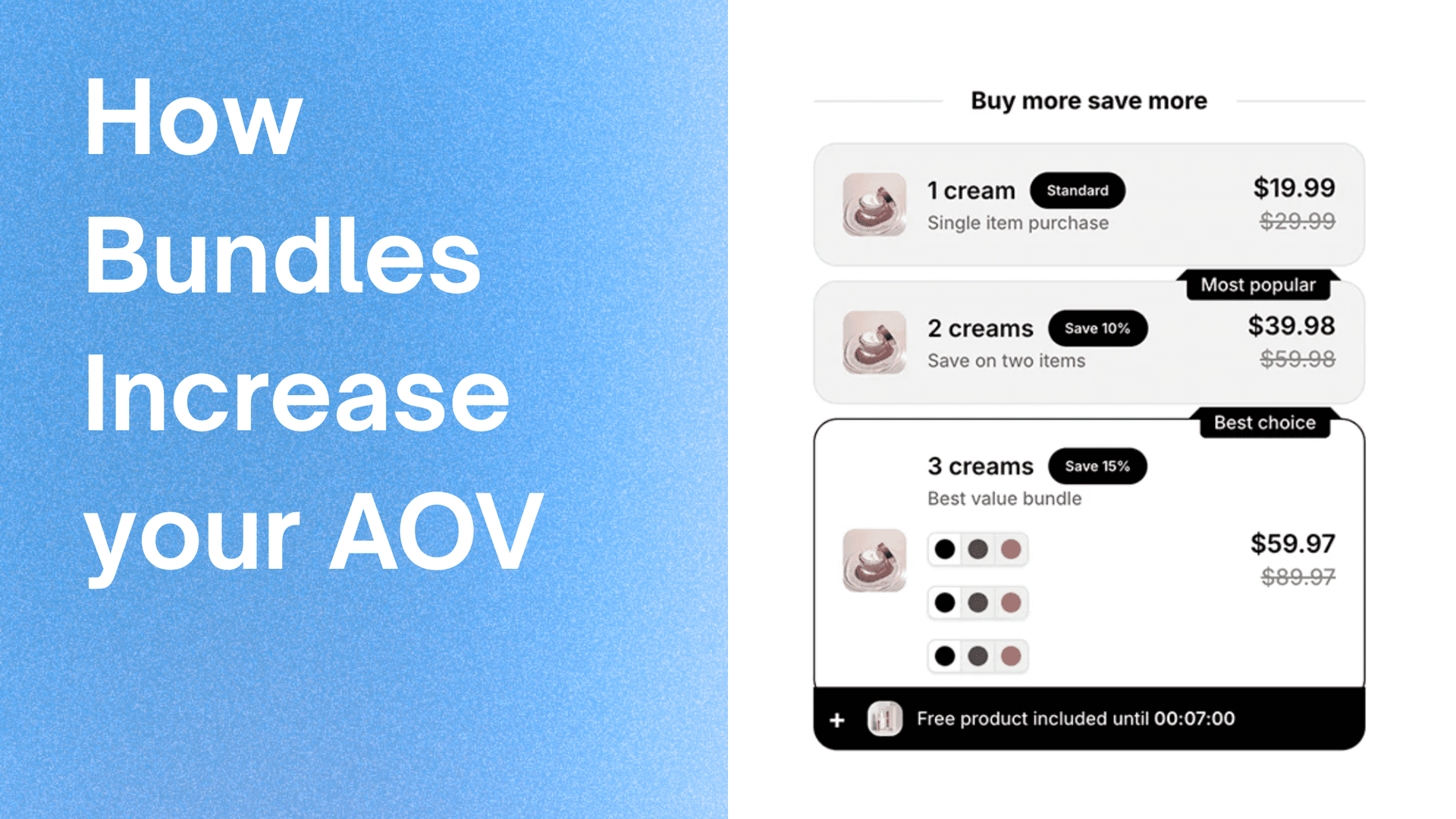
5 Design Tips for Creating High-Converting Product Bundles
Learn how to design product bundles that not only look great but also drive conversions and increase sales.
The visual design of your product bundles plays a crucial role in their success. A well-designed bundle can significantly increase conversions, while poor design can confuse customers and hurt sales. Here are five essential design principles to create bundles that convert.
1. Keep It Clean and Simple
Simplicity is key in bundle design. Customers should understand the bundle's value at a glance without cognitive overload.
Visual Hierarchy
Create a clear visual hierarchy that guides the eye:
- Primary: Bundle title and main value proposition
- Secondary: Product images and descriptions
- Tertiary: Pricing, savings, and call-to-action
White Space
Don't overcrowd your bundle display. Use white space effectively to:
- Separate bundle elements
- Draw attention to key information
- Create a sense of premium quality
- Improve readability
Product Limit
Limit the number of products per bundle to 3-5 items. Too many products can:
- Overwhelm customers
- Dilute the value proposition
- Make the bundle feel expensive
- Reduce conversion rates
Typography
Use clear, readable fonts:
- Headlines: Bold, larger fonts for titles
- Body text: Readable sizes (minimum 14px)
- Pricing: Prominent but not overwhelming
- Maintain consistency with your brand
2. Highlight the Value Proposition
Customers need to immediately see why the bundle is valuable. Make savings and benefits impossible to miss.
Discount Display
Show savings prominently:
- Percentage off: "Save 25%" in large, contrasting color
- Dollar amount: "You Save $30" clearly displayed
- Original vs. Bundle price: Show both prices with strikethrough on original
Visual Indicators
Use design elements to emphasize value:
- Badges for "Best Value" or "Most Popular"
- Color coding for savings (green for positive, red for urgency)
- Icons for bundle benefits (free shipping, gift included)
- Progress indicators showing how close customers are to savings
Bundle Description
Write clear, benefit-focused descriptions:
- Focus on outcomes, not just features
- Use customer language, not jargon
- Highlight what makes the bundle special
- Keep it concise (2-3 sentences max)
Social Proof
Incorporate trust signals:
- "Frequently Bought Together" labels
- Customer review snippets
- "X customers bought this bundle" counters
- Star ratings or popularity badges
3. Make It Mobile-First
With over 60% of e-commerce traffic coming from mobile devices, your bundle design must excel on small screens.
Responsive Layout
Ensure bundles adapt to different screen sizes:
- Stack elements vertically on mobile
- Maintain readability at all sizes
- Touch-friendly buttons (minimum 44x44px)
- Optimize images for mobile loading
Touch Interactions
Design for touch, not just click:
- Large, easily tappable buttons
- Adequate spacing between interactive elements
- Swipe-friendly product carousels
- Clear visual feedback on touch
Loading Performance
Optimize for speed:
- Compress images without losing quality
- Lazy load bundle components
- Minimize JavaScript
- Use efficient CSS
Mobile-Specific Features
Consider mobile-specific enhancements:
- Sticky add-to-cart buttons
- Quick view modals
- Simplified checkout flow
- One-tap bundle selection
4. Use Strategic Color and Contrast
Color psychology and contrast play significant roles in conversion optimization.
Color Psychology
Use colors strategically:
- Green: Savings, positive value, "go" actions
- Red/Orange: Urgency, limited time offers
- Blue: Trust, professionalism
- Black/White: Premium, luxury feel
Contrast for Readability
Ensure sufficient contrast:
- Text should be easily readable against backgrounds
- Use WCAG AA standards (4.5:1 for normal text)
- Test with color blindness simulators
- Maintain brand colors while ensuring accessibility
Call-to-Action Buttons
Make CTA buttons stand out:
- High contrast with background
- Clear, action-oriented text
- Adequate size and padding
- Hover and active states
Visual Hierarchy Through Color
Use color to create hierarchy:
- Primary actions: Brand or accent color
- Secondary actions: Neutral or muted colors
- Important information: High contrast colors
- Background elements: Subtle, low-contrast colors
5. Match Your Brand Identity
Your bundles should feel like a natural extension of your store, not an afterthought.
Brand Consistency
Maintain consistency across:
- Colors: Use your brand palette
- Typography: Match your store's fonts
- Imagery style: Consistent photo/video style
- Tone of voice: Match your brand personality
Design Language
Create a cohesive design language:
- Consistent spacing and padding
- Unified border radius and shadows
- Matching button styles
- Aligned with overall site aesthetic
Customization Options
When possible, allow customization:
- Let customers choose bundle variants
- Offer mix-and-match options
- Provide personalization features
- Maintain flexibility within brand guidelines
Premium Feel
Even discount bundles should feel premium:
- High-quality product images
- Professional layout and spacing
- Polished animations and transitions
- Attention to detail in every element
Implementation Best Practices
A/B Testing
Test different design variations:
- Button colors and text
- Layout arrangements
- Discount presentation
- Product image sizes
- Bundle descriptions
Analytics Integration
Track design performance:
- Click-through rates on bundle elements
- Conversion rates by bundle design
- Time spent viewing bundles
- Scroll depth and engagement
- Heat maps and user recordings
Iterative Improvement
Continuously refine based on data:
- Identify underperforming elements
- Test improvements systematically
- Measure impact of changes
- Build on what works
Tools for Bundle Design
Zyga Bundles provides powerful customization options:
- Layout Control: Choose from multiple bundle layouts
- Color Customization: Match your brand colors exactly
- Typography: Use your store's fonts
- Spacing: Adjust padding and margins
- Animations: Add subtle hover effects
- Responsive Design: Automatic mobile optimization
All customization options maintain functionality while giving you complete design control.
Common Design Mistakes
1. Information Overload
Too much information overwhelms customers. Keep it simple and focused.
2. Poor Mobile Experience
Designing only for desktop hurts mobile conversions. Always design mobile-first.
3. Weak Value Communication
If customers don't see the value immediately, they won't convert. Make savings obvious.
4. Inconsistent Branding
Bundles that don't match your store feel disconnected and untrustworthy.
5. Ignoring Accessibility
Poor contrast, small text, and unclear labels exclude potential customers and hurt SEO.
Conclusion
Great bundle design combines aesthetics with functionality. By following these five principles-simplicity, value highlighting, mobile-first approach, strategic use of color, and brand consistency-you can create bundles that not only look professional but also drive real conversions.
Remember, design is not just about appearance; it's about guiding customers toward a purchase decision. Every design choice should serve the goal of making bundles more appealing, understandable, and actionable.
Test different approaches, measure results, and continuously refine your bundle designs. With the right design strategy, your product bundles can become powerful conversion tools that significantly impact your store's success.